ChevyParts
My Garage
My Account
Cart
OEM 2008 Cadillac SRX Air Bag Sensor
Air Bag Impact Sensor- Select Vehicle by Model
- Select Vehicle by VIN
Select Vehicle by Model
orMake
Model
Year
Select Vehicle by VIN
For the most accurate results, select vehicle by your VIN (Vehicle Identification Number).
1 Air Bag Sensor found
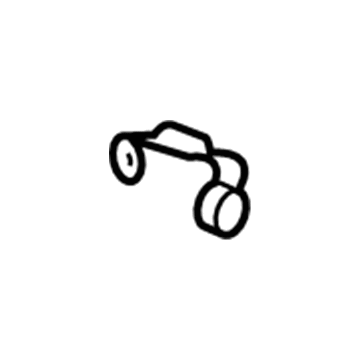
2008 Cadillac SRX Front Impact Sensor Part Number: 15946933
$22.28 MSRP: $33.16You Save: $10.88 (33%)Product Specifications- Other Name: Sensor Assembly-Inflatable Restraint Front End Discriminating; Air Bag Sensor; Front Sensor; Sensor, Inflatable Restraint System
- Position: Front
- Item Weight: 0.50 Pounds
- Item Dimensions: 3.5 x 3.1 x 3.2 inches
- Condition: New
- Fitment Type: Direct Replacement
- Require Quantity: 2
- SKU: 15946933
- Warranty: This genuine part is guaranteed by GM's factory warranty.
2008 Cadillac SRX Air Bag Sensor
With a comprehensive array of OEM 2008 Cadillac SRX Air Bag Sensor, from fuel pumps to door handles, our website is a one-stop-shop for your needs. All our genuine 2008 Cadillac SRX Air Bag Sensor are backed by the manufacturer's warranty and are offered at competitive prices in the market. Rest assured, you can shop with complete confidence.
2008 Cadillac SRX Air Bag Sensor Parts and Q&A
- Q: How to replace the Air Bag Sensor for Side Impact on 2008 Cadillac SRX?A: The first step for installing a new Inflatable Restraint Side Impact Sensor (SIS) involves disabling the SIR system while placing the seat at its full forward position. Shift the center pillar trim panel aside before detaching the connector position assurance from its position on the SIS harness connector. Separate the SIS harness connector before removing the SIS mounting screws. Extract the SIS component from the center pillar assembly. Prepare the center pillar mount by cleaning it prior to installing your new SIS. Secure the SIS mounting fasteners by tightening them to reach 9 N.m force or 80 lb in torque. Reconnect the SIS harness connector first followed by attaching the CPA to the SIS harness connector. Replace the center pillar trim then return the seat to its original position before turning on the SIR system.
Related 2008 Cadillac SRX Parts
 2008 Cadillac SRX TPMS Sensor
 2008 Cadillac SRX Air Bag Clockspring
 2008 Cadillac SRX Antenna Cable
 2008 Cadillac SRX Dimmer Switch
 2008 Cadillac SRX Fuel Tank Sending Unit
 2008 Cadillac SRX Headlight Switch
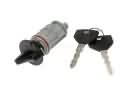 2008 Cadillac SRX Ignition Lock Assembly
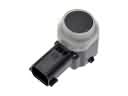 2008 Cadillac SRX Parking Assist Distance Sensor
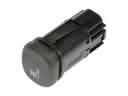 2008 Cadillac SRX Seat Heater Switch
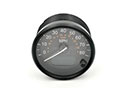 2008 Cadillac SRX Speedometer
 2008 Cadillac SRX Turn Signal Switch
 2008 Cadillac SRX Wiper Pulse Module