ChevyParts
My Garage
My Account
Cart
OEM Chevrolet Uplander Blend Door Actuator
Air Blend Door Actuator- Select Vehicle by Model
- Select Vehicle by VIN
Select Vehicle by Model
orMake
Model
Year
Select Vehicle by VIN
For the most accurate results, select vehicle by your VIN (Vehicle Identification Number).
3 Blend Door Actuators found
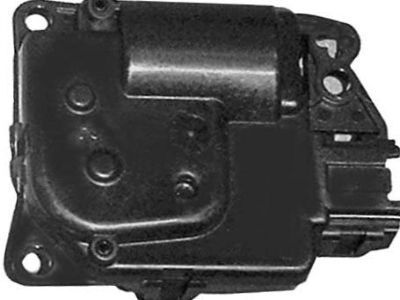
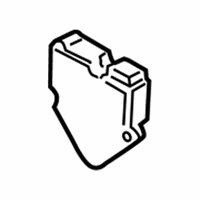
Chevrolet Uplander Actuator Part Number: 10364929
$19.10 MSRP: $35.86You Save: $16.76 (47%)Ships in 1-2 Business Days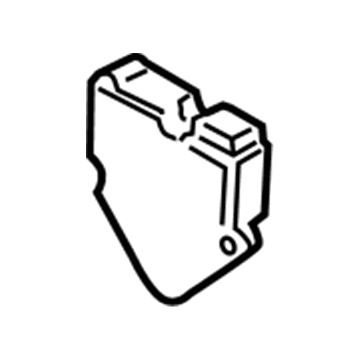
Chevrolet Uplander Actuator Part Number: 10362449
$40.70 MSRP: $76.44You Save: $35.74 (47%)Ships in 1-2 Business Days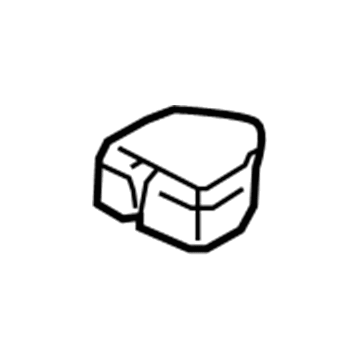
Chevrolet Uplander Actuator Part Number: 10317842
$63.50 MSRP: $119.24You Save: $55.74 (47%)Ships in 1-2 Business Days
Chevrolet Uplander Blend Door Actuator
Want to cut long-term maintenance and repair costs? Choose OEM Blend Door Actuator. Those parts deliver top durability you can trust. On our site, you'll find a huge catalog of genuine Chevrolet Uplander parts. Prices are unbeatable, so you can keep more in your pocket. Every OEM Chevrolet Uplander Blend Door Actuator includes a manufacturer's warranty. You can also get an easy return policy that keeps buying risk free. Fast delivery, get your car on the road quickly. It's simple to search, compare, and order. Stop guessing about quality or fit. Order today and save with parts that last.
Chevrolet Uplander Blend Door Actuator Parts and Q&A
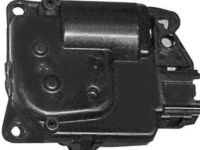
- Q:How to replace the LH Blend Door Actuator in a dual zone system on Chevrolet Uplander?A:A dual zone left air temperature actuator replacement requires driver side knee bolster removal to access the air temperature actuator location. After disconnecting the actuator's electrical connector you can extract the actuator by removing the fasteners securing it to the system. Additionally remove the actuator lever when necessary. After removing the lever reinstall it in the door while making sure it faces the right direction. The actuator needs installation followed by bolting or screwing it down while tightening these fasteners to 1.2 N.m (11 lb in). Install the driver side knee bolster after reconnecting the electrical connector. You need to perform required actuator calibration steps at the end of the installation process.
- Q:How to replace the Blend Door Actuator - Right (Dual Zone) on Chevrolet Uplander?A:Take off the instrument panel (I/P) before you can get to the air temperature actuator - right (Dual Zone). Unplug the right side air temperature actuator connector , then take out the bolts/screws holding the actuator and, if required, also take off the actuator with its levers (3, 4). Be sure to put the actuator levers in place first, with the actuator lever lined up with the door correctly. Be sure the actuator levers (1, 2) are engaged and that the main tooth of the actuator lever fits into the gap in the other lever. Then, put the right side air temperature actuator in place, fix it with the bolts/screws, and tighten these to 1.2 N.m (11 lb-in). Make sure the clip on the right side air temperature actuator electrical connector fits all the way into the holder on the case. After that, put the I/P compartment back and re-adjust the actuators.
Related Chevrolet Uplander Parts
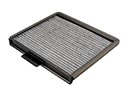 Chevrolet Uplander Cabin Air Filter
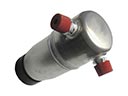 Chevrolet Uplander A/C Accumulator
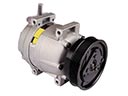 Chevrolet Uplander A/C Compressor
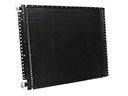 Chevrolet Uplander A/C Condenser
 Chevrolet Uplander A/C Expansion Valve
 Chevrolet Uplander A/C Hose
 Chevrolet Uplander A/C Orifice Tube
 Chevrolet Uplander A/C System Valve Core
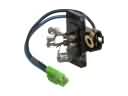 Chevrolet Uplander Blower Motor Resistor
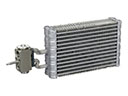 Chevrolet Uplander Evaporator
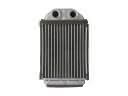 Chevrolet Uplander Heater Core
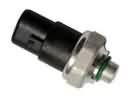 Chevrolet Uplander HVAC Pressure Switch