ChevyParts
My Garage
My Account
Cart
OEM 2000 GMC C3500 Drive Shaft
Axle Shaft- Select Vehicle by Model
- Select Vehicle by VIN
Select Vehicle by Model
orMake
Model
Year
Select Vehicle by VIN
For the most accurate results, select vehicle by your VIN (Vehicle Identification Number).
1 Drive Shaft found
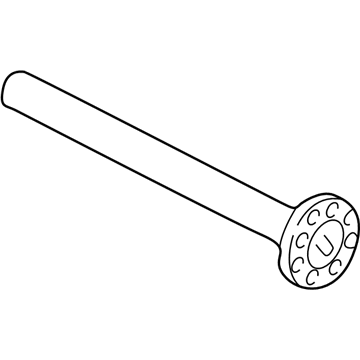
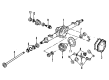
2000 GMC C3500 Axle Shaft, Rear Part Number: 26020040
Product Specifications- Other Name: Shaft, Rear Axle Drive; Axle Shafts
- Position: Rear
- Item Weight: 16.90 Pounds
- Item Dimensions: 37.9 x 4.7 x 4.6 inches
- Condition: New
- Fitment Type: Direct Replacement
- SKU: 26020040
- Warranty: This genuine part is guaranteed by GM's factory warranty.
2000 GMC C3500 Drive Shaft
With a comprehensive array of OEM 2000 GMC C3500 Drive Shaft, from fuel pumps to door handles, our website is a one-stop-shop for your needs. All our genuine 2000 GMC C3500 Drive Shaft are backed by the manufacturer's warranty and are offered at competitive prices in the market. Rest assured, you can shop with complete confidence.
2000 GMC C3500 Drive Shaft Parts and Q&A
- Q: How to replace a three-piece Drive Shaft on 2000 GMC C3500?A: The maintenance of three-piece propeller shaft begins with hoisting the vehicle and creating exact reference marks between driveline parts and propeller shaft and axles before dismantling the assembly. This process allows precise reassembly of components to maintain their original positions. Start by making marks on the pinion flange-rear propeller shaft interface and then support the shaft before unscrewing the bolts from the pinion flange followed by the retainers. It is essential to avoid hitting the original propeller shaft yoke ears with a hammer because this may cause fractures and you should attach tape to the bearing cups on the yoke to hold the rollers in place. You should keep the Universal Joint assembly straight when you slide down the rear propeller shaft without the pinion flange assembly. First support the intermediate propeller shaft then remove the bolts at the front center bearing support of the front propeller shaft yoke together with the yoke retainers followed by removing the intermediate shaft center bearing support nuts and retainers. After removing the bolts accompanied by washers you can pull out the intermediate propeller shaft center bearing support from the hanger but always maintain the integrity of the yoke ears. Shorten and support the front propeller shaft while removing its bolts and retainers from the yoke before proceeding to detach the center bearing support nuts and bolts and washers. An approved solvent should be used to clean all parts before inspecting the proper installation of Universal Joint bearing cups and the intermediate and rear propeller shaft slip yoke splines. Also inspect rubber insulators for deterioration. You should attach the front propeller shaft to its yoke and verify reference marks are properly situated before bolt and retainer installation at 20 nm (26 ft. Lbs.). Join the intermediate propeller shaft with the front propeller shaft yoke while keeping them focused in proper alignment before tightening the bolts and retainers to 35 nm (26 ft. Lbs.). The rear center bearing hanger needs installation perpendicular to front and intermediate propeller shaft center lines before a thorough inspection of installed components. Use bolts and washers before supporting the rear propeller shaft with appropriate tools to tighten the nuts to 35 nm (26 ft. Lbs.). Align reference marks during the installation of rear propeller shaft bolts and retainers which should be tightened to 37 nm (27 ft. Lbs.).
Related 2000 GMC C3500 Parts
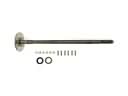 2000 GMC C3500 Axle Shaft
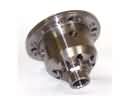 2000 GMC C3500 Differential
 2000 GMC C3500 Differential Bearing
 2000 GMC C3500 Differential Cover
 2000 GMC C3500 Differential Seal
 2000 GMC C3500 Driveshaft Yokes
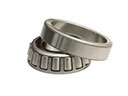 2000 GMC C3500 Pinion Bearing
 2000 GMC C3500 Pinion Washer
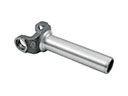 2000 GMC C3500 Slip Yoke
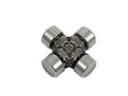 2000 GMC C3500 Universal Joint
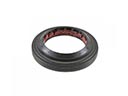 2000 GMC C3500 Wheel Seal