ChevyParts
My Garage
My Account
Cart
OEM 2000 Chevrolet Venture Steering Wheel
Navigation Steering Wheel- Select Vehicle by Model
- Select Vehicle by VIN
Select Vehicle by Model
orMake
Model
Year
Select Vehicle by VIN
For the most accurate results, select vehicle by your VIN (Vehicle Identification Number).
1 Steering Wheel found
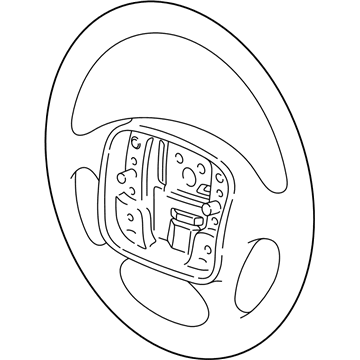
2000 Chevrolet Venture Steering Wheel Part Number: 16823955
Product Specifications- Other Name: Wheel, Steering
- Item Weight: 3.90 Pounds
- Item Dimensions: 17.7 x 17.4 x 6.1 inches
- Condition: New
- Fitment Type: Direct Replacement
- SKU: 16823955
- Warranty: This genuine part is guaranteed by GM's factory warranty.
2000 Chevrolet Venture Steering Wheel
With a comprehensive array of OEM 2000 Chevrolet Venture Steering Wheel, from fuel pumps to door handles, our website is a one-stop-shop for your needs. All our genuine 2000 Chevrolet Venture Steering Wheel are backed by the manufacturer's warranty and are offered at competitive prices in the market. Rest assured, you can shop with complete confidence.
2000 Chevrolet Venture Steering Wheel Parts and Q&A
- Q: How to remove and install a steering wheel on 2000 Chevrolet Venture?A: Before you begin to remove the Steering Wheel you should first disable the sir system by turning off the ignition key. Next, remove the inflator module. Mark an alignment reference point into the Steering Wheel hub when Steering Wheel hub alignment marks are absent. Do this by aligning the mark with the Steering Shaft mark. Set the Steering Wheel nut to the surface of the steering column shaft end before you loosen it. The j 1859-a Steering Wheel puller (J 1859-A) with j 42578 Steering Wheel puller legs (J 42578) must be used on pontiac vehicles to loosen the Steering Wheel. Both chevrolet and oldsmobile vehicles need only the j 1859-a to loosen their steering wheels. First disconnect any available Steering Wheel control electrical connector followed by removing the horn switch lead from the steering hub. Start by removing the Steering Wheel nut before pulling out the Steering Wheel from the Steering Shaft. Follow the instructions to disconnect and remove the Steering Wheel controls when they are equipped. Posting the Steering Wheel controls and harness onto the Steering Wheel should be accompanied by steering sir connector routing and precise Steering Shaft and wheel mark alignment before final Steering Wheel installation. Secure the Steering Wheel nut with 45 nm of torque (33 ft. Lbs.). Reinstall the horn switch lead and steer wheel controls electrical connector before placing the inflator module. Complete the sir system activation process then ensure all equipment works correctly including horn operation when vehicle has Steering Wheel controls.
Related 2000 Chevrolet Venture Parts
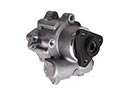 2000 Chevrolet Venture Power Steering Pump
 2000 Chevrolet Venture Automatic Transmission Shifter
 2000 Chevrolet Venture Rack And Pinion
 2000 Chevrolet Venture Rack and Pinion Boot
 2000 Chevrolet Venture Radius Heat Shield
 2000 Chevrolet Venture Steering Column
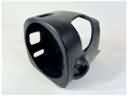 2000 Chevrolet Venture Steering Column Cover
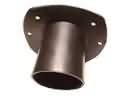 2000 Chevrolet Venture Steering Column Seal
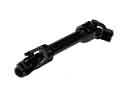 2000 Chevrolet Venture Steering Shaft
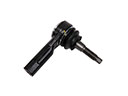 2000 Chevrolet Venture Tie Rod
 2000 Chevrolet Venture Tie Rod End
 2000 Chevrolet Venture Upper Steering Column Bearing